
How it works
Set up in one sitting. Then never again.
Three steps, then FullPockets keeps itself up to date.
-
01
Install on Shopify.
Type your store and approve. Your last 60 days of orders load by themselves.
-
02
Connect your ads.
Meta in one click. Add your supplier's file or CJ key if you have one.
-
03
Read your profit.
Today, 7 days or 30 days. It stays up to date on its own.
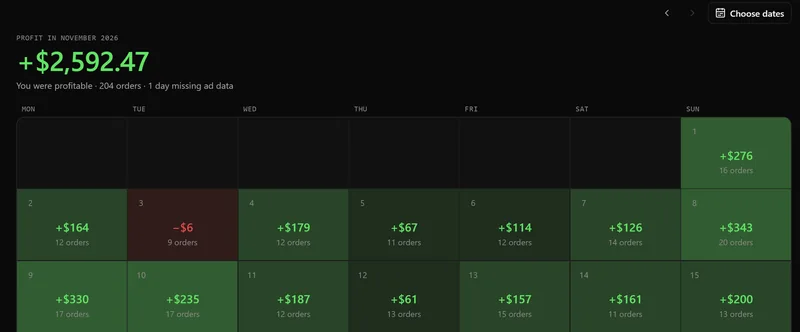
The Calendar screen. Example store.
After that, you never type a cost again.
After you install
What happens after you install
Orders from the last 60 days load
Fees come from Shopify Payments
Product cost comes from your supplier's file, CJ, or Shopify's cost per item
App bills are found from your orders
New orders and refunds arrive as they happen
Your part
What you might still do
- Check estimates with one tap. Confirm or correct each guess.
- Add a cost Shopify can't see, like a VA or a tool. Monthly, one-time, % of sales or per order.
Common questions
Still stuck? Write to support@fullpockets.io
Do I have to type in my costs?
No. Product cost comes from your supplier’s invoice, your CJ account or Shopify’s cost per item. Fees come from Shopify. App bills are found for you. You check the estimates with a tap.
Which ad platforms work?
Meta connects directly. For TikTok and Google, add a weekly or monthly total for now; FullPockets spreads it over the days. Direct connections are on the way.
How far back does it go?
The last 60 days load when you install.
Find out what you really kept.
Install, connect Meta, and read today's profit.
14-day free trial · Plans from $9 a month
Example: you kept $301.00, a 30.1% margin.